
Legacy system modernization: a practical guide for safer upgrades
Legacy system modernization guide: audit old software, avoid risky rewrites, plan safer upgrades, and budget the first migration slice.
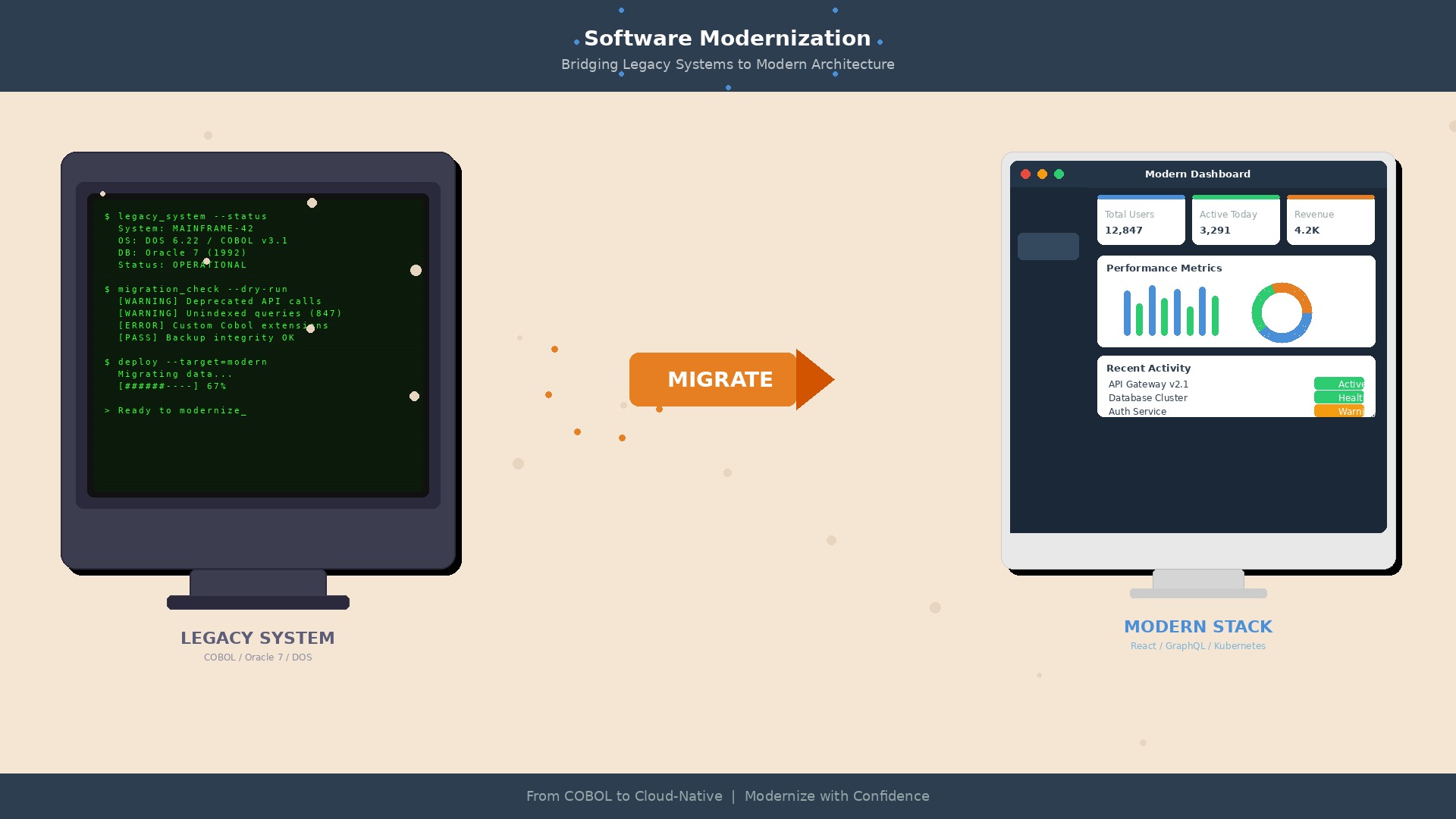
Legacy system modernization gets searched because companies eventually hit the same wall: the old system still runs the business, but every change feels risky. A report takes three days. One integration needs a developer who remembers a framework nobody hires for anymore. A tiny UI change turns into a regression hunt.
Replacing everything sounds clean. It is also how good teams burn a year and still end up copying yesterday's mess into a newer stack. Modernization works better when you treat it as a controlled migration, not a heroic rewrite.
This guide is for business owners, operations leaders, and technical leads who need a practical route from fragile legacy software to something easier to change.
Legacy system modernization: what it means in practice
Legacy system modernization means improving an old application without pretending the business can stop while the team rebuilds it. Sometimes that means refactoring parts of the code. Sometimes it means moving hosting, adding APIs, replacing one module, or wrapping the old system with a cleaner interface.
The useful question is not "Is this system old?" Plenty of old software is boring and reliable. The question is whether the system blocks changes the business needs.
A legacy system usually becomes a problem when it has several of these symptoms:
- Releases are rare because nobody trusts the deployment process
- Only one or two people know how key parts work
- Integrations depend on CSV exports, manual copy-paste, or scheduled database jobs
- Simple reporting needs developer time
- Security patches are hard because the platform is outdated
- New hires need weeks just to run the project locally
- The business keeps building spreadsheets around the system because changing the system is too slow
If that list feels familiar, modernization is no longer an IT cleanup task. It is a delivery risk.
Why full rewrites fail so often
A full rewrite is tempting because it promises a clean break. New architecture. New UI. New database. No old decisions following you around.
The problem is that old systems contain years of business rules, exceptions, and weird customer cases. Many of those rules were never documented. They live in code, database triggers, admin habits, and the memory of people who have been fixing edge cases since 2014.
When a team rewrites from scratch, it often rebuilds the visible 80% quickly, then spends months rediscovering the hidden 20%. Invoicing edge cases. Permission quirks. Special exports for one partner. Seasonal workflows nobody mentioned in discovery because they only happen twice a year.
That does not mean rewrites are always wrong. It means they need proof. If the current product is small, poorly built, and no longer matches the business model, a rebuild may be cheaper. But if the system still handles important operations every day, a staged modernization is usually safer.
Start with a modernization audit, not a roadmap slide
Before choosing a strategy, map the system as it is. Not the architecture diagram from five years ago. The real one.
A useful audit should answer these questions:
- Which workflows make money or protect customer relationships?
- Which parts change often, and which rarely change?
- Where do errors happen today?
- Which integrations are business critical?
- How is data backed up, restored, and audited?
- What can be tested automatically before a release?
- What is the cost of an hour of downtime?
- Which risks are technical, and which are process problems disguised as technical ones?
You do not need a 90-page report. For many mid-sized systems, two or three weeks of discovery is enough to produce a dependency map, a risk list, and a first migration slice.
Choose the right application modernization strategy
Most legacy systems do not need one strategy. They need a mix. The trick is matching the method to the risk.
Stabilize before changing
If deployments are scary, fix that first. Add backups, basic monitoring, a repeatable release process, and smoke tests around the workflows that must not break. This is not glamorous work, but it gives the team room to move.
Wrap the old system with APIs
Sometimes the fastest win is an API layer around the existing application or database. It lets new tools, customer portals, dashboards, or automation workflows talk to the old system without every integration poking the database directly.
This works well when the core system is ugly but dependable. Leave it alone for now. Put a cleaner contract around it.
Replace one module at a time
The strangler pattern is popular for a reason. Pick a bounded part of the system, build the new version next to the old one, route traffic or users gradually, and retire the old module when the new one proves itself.
Good candidates are reporting, document generation, admin screens, notification workflows, authentication, or one isolated customer journey.
Move infrastructure when it reduces operational risk
Cloud migration is not modernization by itself. Moving a fragile application to new hosting can make it more expensive without making it easier to change. But infrastructure work makes sense when it gives you automated backups, predictable deployments, better security controls, or cheaper scaling.
Refactor code where business change is blocked
Refactoring is worth it when it shortens future work. Do not refactor the whole codebase because the style is annoying. Refactor the parts that change often, break often, or block new features.
A 90-day legacy modernization plan
A realistic first phase should reduce risk and prove that the migration can work. It should not try to fix everything.
Days 1-15: discovery and risk map
Interview the people who use the system, the people who maintain it, and the people who work around it. Map workflows, integrations, data ownership, hosting, deployment, and known failure points. Pick one modernization slice with visible value and limited blast radius.
Days 16-30: safety rails
Add the missing basics: source control hygiene, backups, logs, smoke tests, staging environment, deployment notes, and rollback steps. If you cannot safely release a small change, the modernization project is starting on sand.
Days 31-60: first replacement or wrapper
Build the first API, reporting module, admin screen, or automation workflow. Keep the scope narrow. The goal is to learn how data moves, how users react, and where the old system fights back.
Days 61-90: production rollout and next slice
Ship the first slice to real users. Measure errors, support tickets, processing time, and manual work removed. Then choose the next slice based on evidence, not wishful planning.
What legacy modernization costs
Costs depend on system size, access to documentation, test coverage, integrations, and how much downtime the business can tolerate. For planning, a small audit and modernization plan often starts around €8,000 to €20,000. A first implementation slice can range from €20,000 to €60,000. Larger migrations can move into six figures, especially when data migration, security, or multi-team coordination is involved.
The better budgeting question is: what does the current system cost when nothing changes? Count manual rework, delayed launches, support load, downtime risk, and the salary cost of people maintaining workarounds.
If you are comparing budgets, our guide to custom software development cost in Europe gives useful ranges for new builds and modernization work.
Where AI and automation fit
AI can help with legacy modernization, but it is not a magic translator for old code. The practical uses are narrower and more useful: summarizing code paths, generating test cases, extracting rules from documents, classifying support tickets, or automating manual checks around the old system.
The safest AI work happens around the system first. Use it to reduce manual reporting, document review, customer triage, or data cleanup. Once the process is clearer, you can decide whether deeper AI belongs inside the product.
For that part, read our AI implementation roadmap before adding another tool to an already messy stack.
FAQ
What is legacy system modernization?
Legacy system modernization is the process of improving an old software system so it is safer, easier to change, and better connected to the rest of the business. It can include refactoring, APIs, cloud migration, module replacement, better testing, or a staged rebuild.
When should a company modernize a legacy system?
Modernize when the system blocks business change, creates security risk, depends on rare technical skills, causes manual work, or makes releases too risky. Age alone is not the issue. The issue is whether the system prevents useful work.
Is it better to rewrite or modernize a legacy application?
Modernization is usually safer when the system still runs important operations. A rewrite can make sense for smaller products or systems where the old architecture no longer matches the business. In most cases, start with an audit and one narrow replacement slice before committing to a full rebuild.
How long does legacy modernization take?
A focused audit can take two or three weeks. A first production slice often takes one to three months. Full modernization can take six months or more, depending on integrations, data migration, testing, and how much of the old system must stay live during the work.
How much does legacy system modernization cost?
A planning audit often starts around €8,000 to €20,000. A first implementation slice may cost €20,000 to €60,000. Larger migrations can reach six figures. The main cost drivers are system complexity, missing tests, data migration, compliance, and downtime constraints.
Need help modernizing an old system?
Syntanea helps companies turn fragile internal tools, old business applications, and spreadsheet-heavy workflows into software that is easier to maintain. We are based in Wrocław and work with European teams that need practical delivery, not theatre.
If your system is too important to ignore and too risky to replace in one jump, talk to Syntanea. We can audit the current setup, pick the first safe modernization slice, and help your team move without freezing the business.
If the business is not ready for replacement yet, use a legacy system integration strategy to connect the old platform safely before a larger modernization program.
Related reading
- Software project rescue plan - use this when a modernization project is already late or unsafe to release
- Custom software development cost in Europe — budget ranges for new builds, rewrites, and modernization
- Technical debt audit checklist — how to decide what to fix before modernization
- Process optimization: where the waste hides and how to find it — find workflow problems before turning them into software requirements
- Outsourcing software development to Poland — when a nearshore partner makes sense for modernization work